Frequently asked questions
Here you will find the answers to the questions that come up most often about C-A-R-T-A. They are short. For the details I point you to the features and how to use it pages.
Getting started
Is it free?
Yes. It is a personal project, published with open code: you can read it on GitHub, in the "pdf" folder.
One thing needs saying right away. Opening, reading, checking signatures, annotating and signing work on their own. The AI features (Fill in, Summarise, Translate, Points, Ask, Explain), instead, need a compiler service of your own: it is the service that makes the AI work, and it is a private service, not open to everyone. Without a compiler service, those features are not there.
Who makes it?
It is a project by Alessandro Decordi. The code is written with Claude (Anthropic), but not by Claude alone: with every version the site and the new features are reviewed by other AIs — GPT (OpenAI), Gemini (Google), DeepSeek and Grok (xAI) — which criticise, suggest features and review the code. The images and videos on the site are recordings of the real app, not generated. In the app itself, the compiler service uses only Claude.
Can I use it without internet?
Yes, for the most part. After you have opened it once, C-A-R-T-A keeps the program on your device and also works without a network.
What depends on another service, instead, needs the network: the AI features, for which the compiler service must be reachable, and the data vault, which opens from the browser.
Does it work on iPhone, iPad and Android?
Yes: it is a web page, so it opens in the browser of computers, phones and tablets. On a phone the page adapts to the screen.
On the devices page you find what it has been tested on, feature by feature. Note: many tests are done with emulated browsers, which imitate a phone but are not one. On a real device it may behave differently, and the table marks this.
How do I install it?
It is not required: you can use it directly in the browser. If you want the icon and its own window:
- iPhone and iPad: open C-A-R-T-A with Safari, tap Share and choose Add to Home Screen.
- Android: open C-A-R-T-A with Chrome, tap the menu (the three dots) and choose Install app.
- Computer: you need Chrome or Edge. Press the "install" icon in the address bar, or "Install as an app" on the home page.
Privacy and data
Are my PDFs uploaded anywhere?
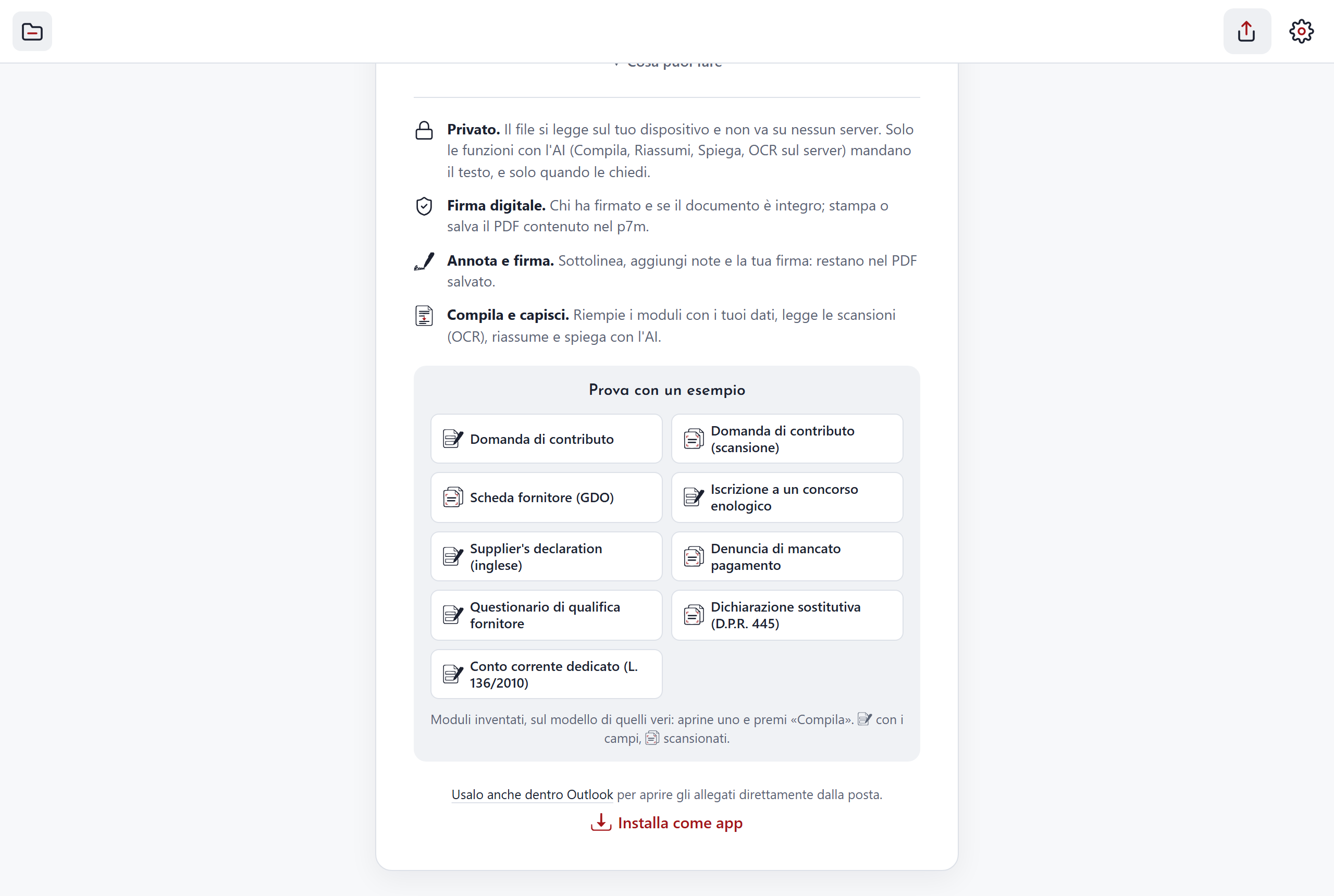
No. The document is opened and read on your device, inside the browser. The same goes for checking signatures and for reading scans "On the device".
The exception is the AI features: Fill in, Summarise, Translate, Points, Ask, Explain and reading scans "On the server" or "With AI". The text or the page that is needed goes to the compiler service, and only when you press the button. The compiler service uses Anthropic's Claude AI.
There is one more case: if you select a piece of text and press Translate without having a compiler service, C-A-R-T-A opens Google Translate in a new tab with that text. Here too it happens only when you press the button.
Two things about the compiler service, also written in Settings:
- it remembers for 30 days the forms it has filled in, so it can redo them quickly;
- it writes an activity log, without the data.
The draft of the document you are editing stays only in your browser, until you save it.
The full detail is on the privacy and notices page.
Where is my data for forms kept?
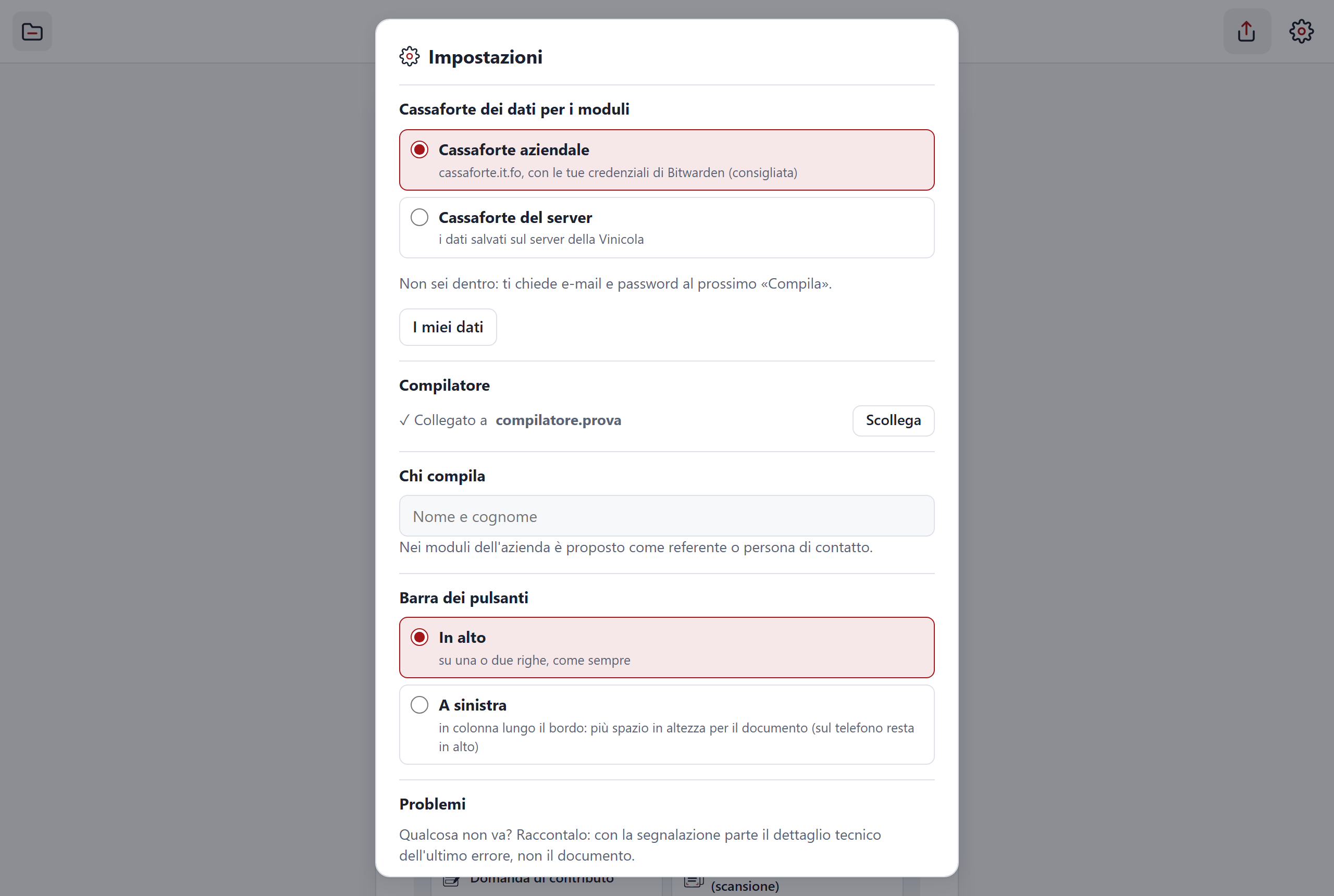
In your organisation's password vault (Bitwarden or Vaultwarden), which C-A-R-T-A opens from the browser. The vault password does not leave your device.
In the vault there are two notes: Data for forms, with your personal data, and Company data for forms. To view or change them press My data.
When you fill in a form, the AI gets the form and only the data of the set you chose. If the data is not in a vault, you can always fill in the form's fields by hand.
Signed files and signatures
What is the difference between C-A-R-T-A's signature and a digital signature?
They are two different things.
- C-A-R-T-A's signature is an image: you draw it, type it or take it from a photo, and put it on the PDF. It is called a graphic signature.
- A digital signature is a signature file tied to a certificate. It says who signed and whether the document was changed afterwards.
A graphic signature does neither of these two things, and it does not have the legal value of a digital or qualified signature. C-A-R-T-A can read and check digital signatures. It cannot create them.
Does it open .p7m files? What does "Certificate expired" mean?
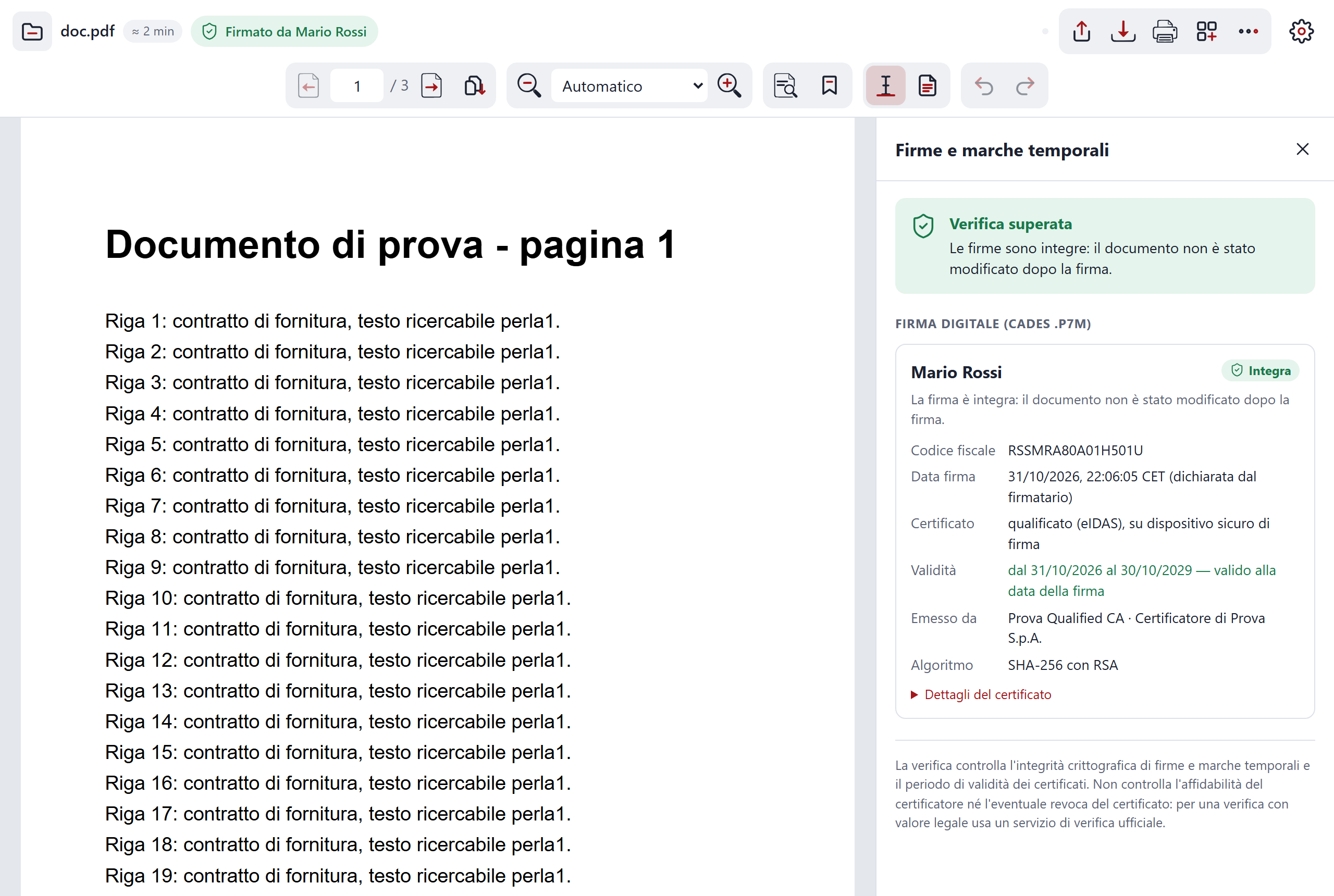
Yes. It opens .p7m (including those that contain another one), .p7s, .tsd and .m7m. A line above the document says how the signature is doing: "Signed by" followed by the name, "Signed by N people", "Signature not valid" and so on. One click on the label opens the "Signatures and timestamps" panel, with the details of each signer.
The labels that raise the most questions:
- "Certificate expired". The document has not been modified, but the signer's certificate had already expired at the moment of signing. To know that moment C-A-R-T-A uses the timestamp, if there is one. Otherwise it uses the date written in the file and, if there is not even that, today's date. A certificate that expires after signing does not give this warning.
- "Certificate not valid". The document has not been modified, but the certificate was not yet valid at the moment of signing.
- "Signature not valid". At least one signature or timestamp does not check out: the document may have been altered after signing. Ask the sender for a new copy.
There is one limit to know. C-A-R-T-A checks that the document is intact and that the certificates were valid on the date of signing. It does not check whether a certificate has been revoked, nor whether its issuer is trustworthy. For a check with legal value use an official verification service.
AI features
How do I connect the compiler service?
Whoever manages it connects it, with a link. In practice:
- Whoever manages the compiler service sends you the link.
- You open it on the device you want to connect.
- From then on Fill in, Summarise, Translate, Points, Ask and Explain appear.
The connection is made once for each device. In Settings you see the status and can press "Disconnect". If you do not have a compiler service, the rest of C-A-R-T-A still works.
Can the AI get a form wrong?
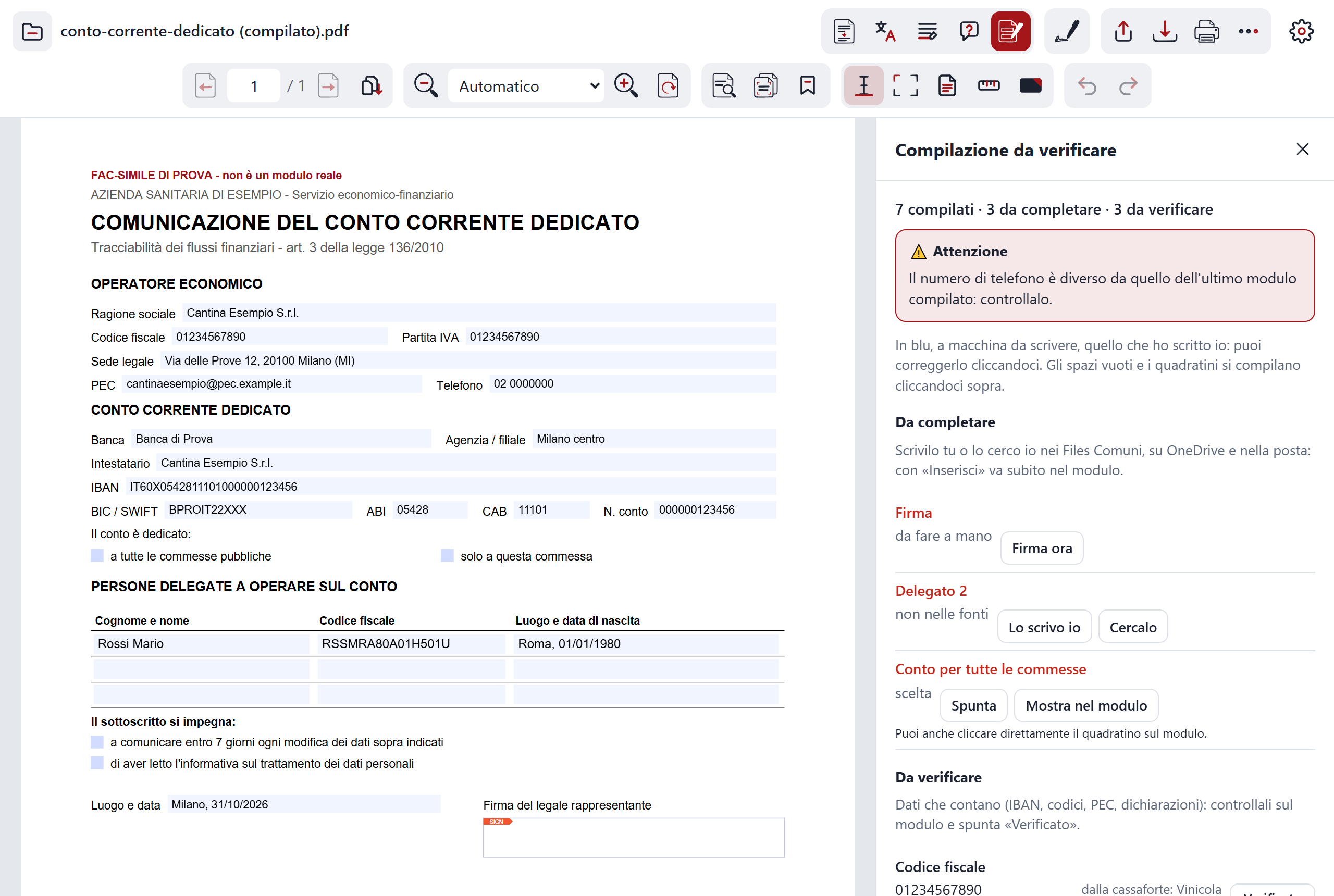
Yes. Filled-in forms, summaries, translations, explanations and underlined sentences are written by the AI, and the AI can make mistakes. Always check against the document, before saving or sending.
C-A-R-T-A helps you check:
- the "Filled-in form" panel shows every value and where it comes from. One click takes you to the field on the page;
- uncertain values are marked "To check", and until you tick them, saving asks you to confirm;
- a red warning appears if an IBAN, a PEC address, a tax code or an SDI code has changed compared with the ones you already had.
Signature, consents and personal choices stay with you. And a translation made by the AI is not an official translation.
Can I ask the document questions?
Yes, if the compiler service is connected. Open the document, press Ask among the AI buttons and type your question. It is for finding a figure or a clause without rereading everything. (You can also ask by voice, with the microphone in the panel.)
- The answer says which pages it comes from. One click on the number takes you to the page, so you can check against the real text.
- If you do not know what to ask, the panel suggests a few questions.
- You can ask several in a row. The conversation stays only in memory, while the document is open.
- The document's text goes to the compiler service only when you press the button.
The AI can make mistakes: read the cited pages before trusting it. The detail is on the features page.
Reading and comparing
Can I see what changed between two versions of a contract?
Yes. Open the version you have, then choose "Compare with another PDF" in the More menu and pick the second version.
C-A-R-T-A compares word by word and page by page. Words removed from the open document are in red, words added in the second PDF in green. A summary tells you on which pages there are differences and with "Go" you jump to the page.
The comparison happens in the browser: neither file leaves the device and the compiler service is not needed. Pages without text cannot be compared.
Pages, floor plans and size
Can I remove or reorder pages?
Yes. Press "Pages" in the toolbar at the top: the thumbnails appear. You reorder them by dragging the handle or with the Up and Down buttons, rotate them, delete them, and with "Insert a PDF…" add more from a second file. Then press "Apply" and save the document. With "Split…" you save some pages as a new PDF instead.
Annotations and graphic signatures stay. Everything happens in the browser and the compiler service is not needed. With password-protected PDFs the button is off.
Can I measure a floor plan?
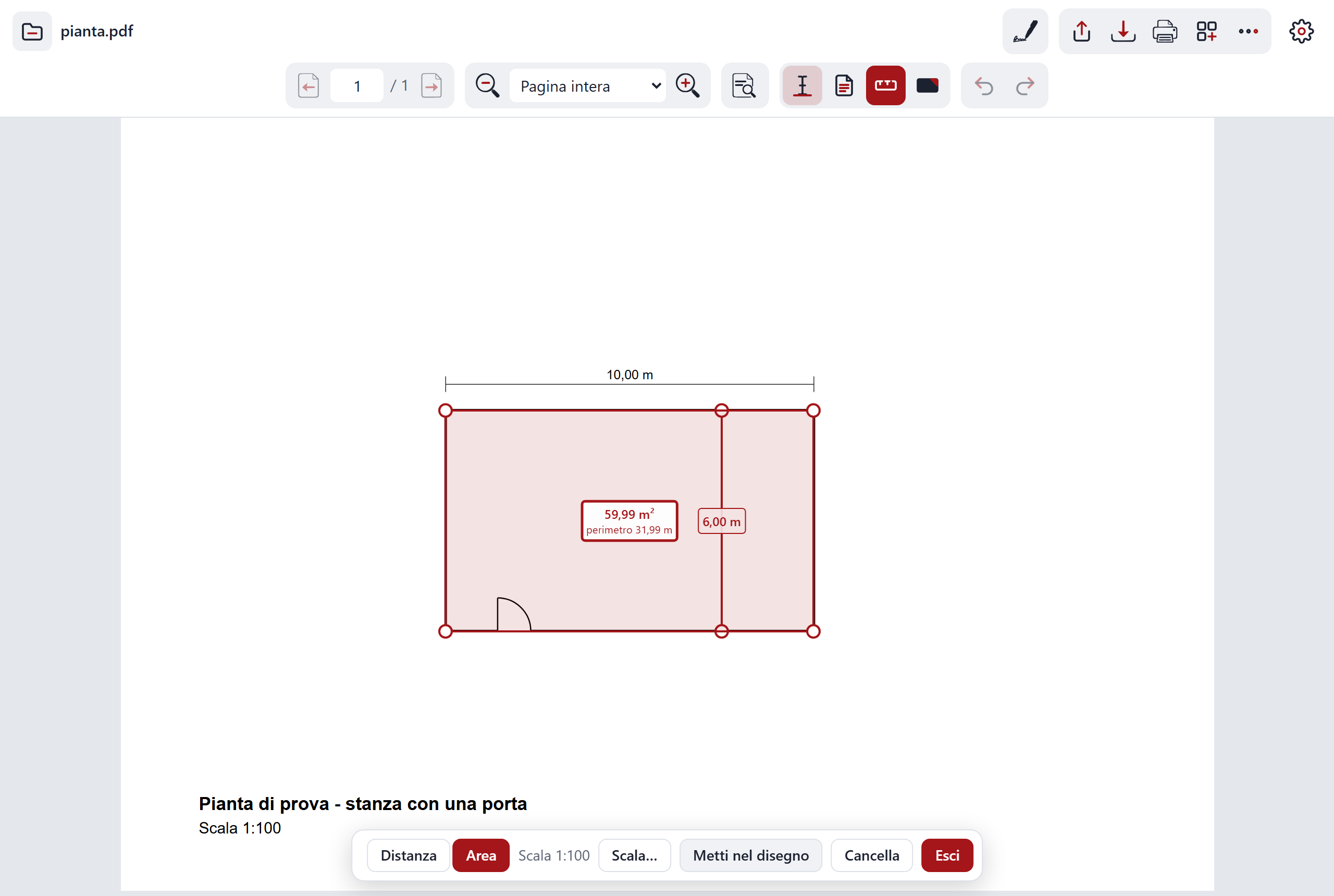
Yes, with the "Measure" button: click two points for a distance, the corners for an area. You need the scale: C-A-R-T-A suggests it if it finds a "1:100" or similar in the drawing; otherwise you set it from two points whose distance you know, or, with the compiler service connected, have the AI estimate it. With "Put into the drawing" the measurements stay written in the PDF.
Measurements are as precise as the drawing and your click: check the ones that matter. Without the AI estimate, the file does not leave the device.
Can I make a PDF lighter?
Yes, if it is made of scans: in the "More" menu choose "Compress…", then Light or Strong. The image pages become lighter and you see the size before and after. Text pages stay as they are.
Scans
Can I read a scan?
Yes. When a page is an image, C-A-R-T-A extracts its text by itself, in Italian, right in the browser. Then you can select and copy as in an ordinary PDF.
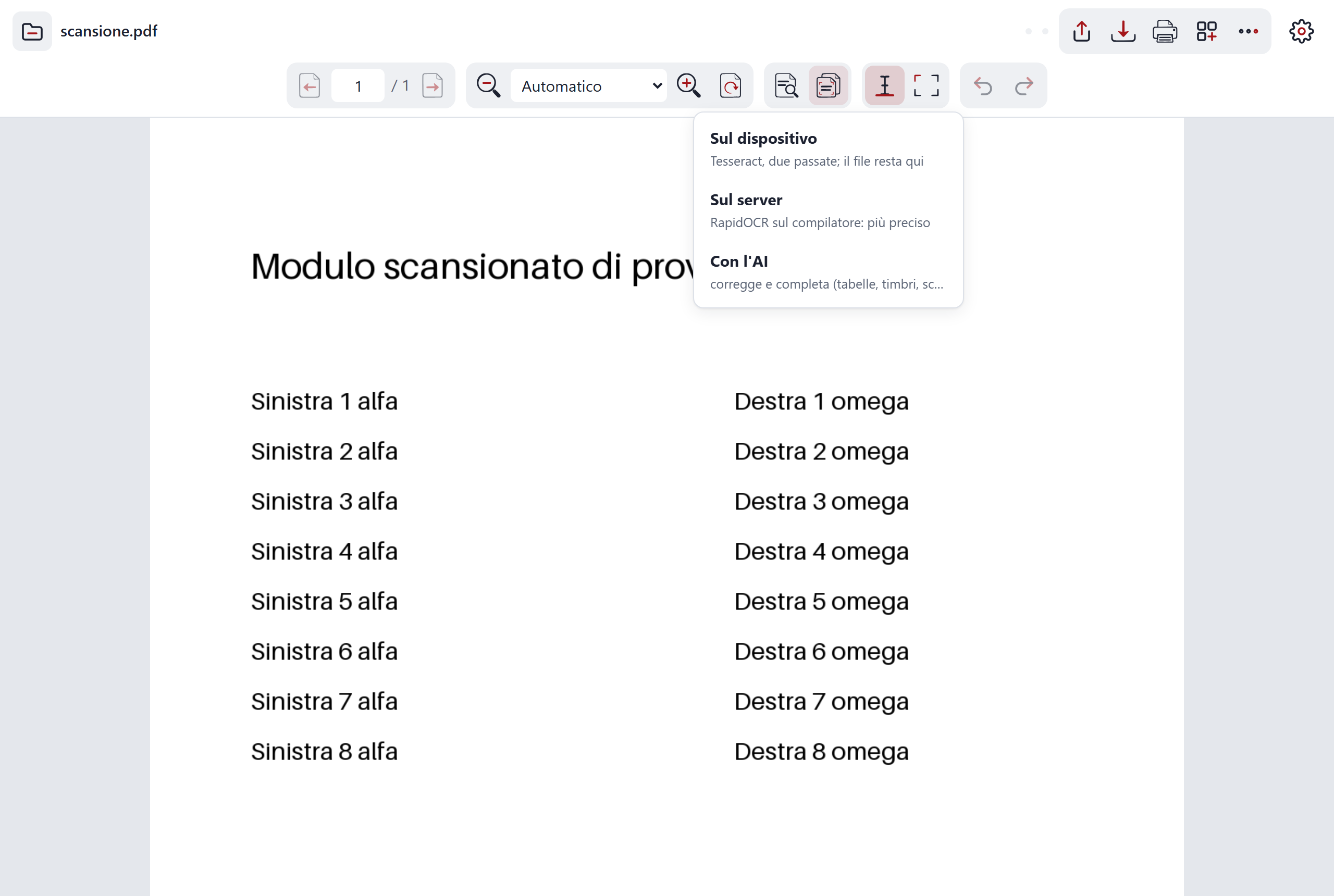
In the text-recognition (OCR) menu you choose how to do it:
- On the device, with no compiler service;
- On the server and With AI, which need the compiler service connected.
To select you have two ways: "text", line by line, or "box", also by holding Alt while dragging. After each selection a menu appears with Copy, Underline, Highlight and Translate; with the compiler service connected there is also Explain, and with box selection there is Image (a photo of the chosen piece). Without the compiler service, Translate opens Google Translate in a new tab. The "Copied" box shows you the exact text you copied: check it, because reading a scan can contain errors.
Why does it sometimes suggest "Straighten"?
Because the scan you opened is crooked. When you open a file, C-A-R-T-A looks at the first page: if it is a scan and it sees it tilted, the "Straighten" suggestion appears, with how many degrees it is off. A straight scan reads better. For text recognition, the page is straightened anyway before it is read.
It is only a suggestion. If you do not need it, press "Leave it as it is". This suggestion does not need the compiler service.
Versions and help
Can I go back to an earlier version?
Yes. On the versions page there is the list of all of them, newest first. For the archived ones you find the "Open this version" button, which opens C-A-R-T-A as it was then. If a version does not have the button, it was not archived.
I am talking about the program. For your documents, while you work you can use Undo and Redo (Ctrl+Z and Ctrl+Y); it is still a good idea to keep a copy of the original.
What happens if I close the page by mistake?
Every 30 seconds C-A-R-T-A keeps a copy of the open document on your device. When you reopen it, the home page offers you Resume or Delete. If you leave with unsaved changes, it first asks whether you want to cancel, leave without saving or save.
How do I report a problem?
Directly from C-A-R-T-A. When an error message appears, press "Report"; or open Settings and choose "Report a problem". Write what you were doing and what happened: with your description the technical detail also goes (error, browser, version), which you see before sending and can remove. The document never goes.
If the compiler service is not connected, the text is copied to the clipboard and you send it yourself, in a message, to whoever manages C-A-R-T-A.
Alternatively there is the GitHub issues page, which needs a GitHub account. There a report is public: do not attach confidential documents or personal data.