Privacy and notices
Here you will find, in simple terms, what happens to your documents when you use C-A-R-T-A: where they go, what is kept and where, and which limits you should know about. Where something cannot be promised, I tell you.
In short
- Files stay on your device. C-A-R-T-A opens and reads them there. The only exception is the iPad's "Open in C-A-R-T-A" shortcut, explained below.
- The AI starts only if you press the button. The AI features send the compiler service the text, the page or the form only when you press the button. The compiler service uses Claude, Anthropic's AI.
- The AI can make mistakes. Always check. The declarations in a form are made by whoever signs.
- A graphic signature and a digital signature are not the same thing. And checking signed files has limits.
- No cookies and no tracking, on the site or in the app.
- The code is open. You can read it on GitHub.
Where your files go
The file you open stays on your device. C-A-R-T-A works in the browser and does not upload it to a server in order to read it. All of these things happen on your device:
- opening and reading the document, searching, zooming;
- checking the digital signatures of .p7m files and similar;
- recognising the text of scans with the "On the device" OCR, which is the automatic one;
- adding notes, underlining and your signature;
- comparing two PDFs;
- reordering, rotating and deleting pages, splitting the PDF and compressing it;
- measuring distances and areas on a floor plan;
- saving, printing and sharing.
When something leaves the device
It happens only when you press a button, and almost always with the features that use AI. They are these:
- Fill in. The whole form goes (the PDF file, with any images), together with the instructions you write and the data set you chose (yours or the company's), read from the vault.
- Summarise, Translate and Points. The text of the document goes.
- Ask the document. The text of the document goes, together with the question you write.
- Translate and Explain on a selection. The text you selected goes, or the image crop, together with the text of the page it is on, which the AI needs as context.
- "On the server" and "With AI" OCR. The page to be read goes.
- Measure, only if you ask the AI to estimate the scale. The page of the drawing goes. Measurements and scales you set yourself stay on the device.
- Report a problem. Your description goes, together with the technical detail (error, browser, version) if you leave the tick, and never the open document. You read the detail before sending.
- Look for it (in the "Filled-in form" panel). The name of the missing data and of the form goes: the compiler service looks for it in the organisation's files, on OneDrive and in the mail.
- "Yes, save them", when the vault is not open. The form's new data goes to the compiler service, instead of into the vault.
All of this goes to the compiler service. It is a private service run by an organisation: whoever manages it connects it, with a link. For Fill in, Summarise, Translate, Points, Ask, Explain and "With AI" OCR the compiler service uses Claude, Anthropic's AI. The "On the server" OCR, instead, is done by the compiler service on its own with a recognition engine (RapidOCR), without going through the AI.
There is one exception: the iPad's "Open in C-A-R-T-A" shortcut sends the file to the compiler service even without you pressing an AI feature. I explain below, in "If you use the iPad".
If the compiler service is not connected, these features do not start and everything else still works.
What is kept, and where
On your device, in the browser
- The draft. If the document has unsaved changes (filled-in data, signatures, notes), every 30 seconds C-A-R-T-A keeps a copy in the browser. A document that was only read is not copied. There is only one draft and it disappears when you save the PDF or leave without saving; in private browsing there is none. On the home page you choose "Resume" or "Delete". If you use a computer that is not yours, press "Delete" before leaving.
- Your signature. The one you draw, type or take from a photo stays on the device only if you tick "Remember the signature on this device". To delete it press "Forget" in the signature window.
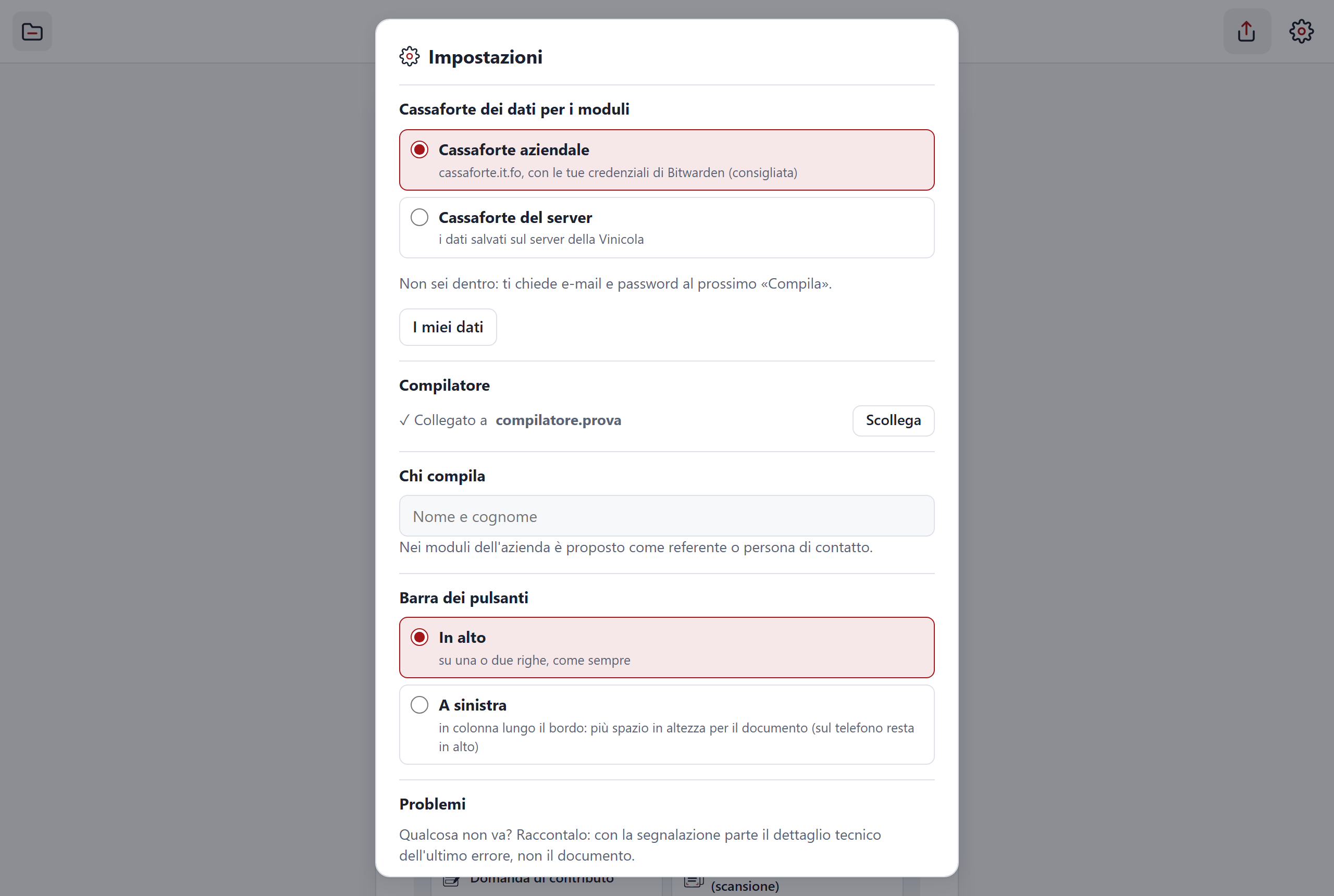
- Your preferences. The bookmarks you add (found again when you reopen the same file), the Night or Sepia reading filter, the name in "Who is filling in", the chosen vault and the email you used to sign in to the vault (not the password).
- The "Ask" conversation. It stays only in memory, while the document is open. When you close it, it disappears.
- The connection to the compiler service. It lives on this device. From Settings you detach it with "Disconnect".
- A copy of the app. It lets the app work offline too.
In the compiler service
- It remembers for 30 days the forms it has filled in.
- It writes a log of what happens, without the data in it.
In the vault
- The data you use to fill in forms. I say more below, in "The data in the vault".
If you use the iPad
- The "Open in C-A-R-T-A" shortcut sends the file to the compiler service, which keeps it aside for 10 minutes and hands it to the app with a link that works only once. It is the only case in which a document passes through the compiler service without you having pressed an AI feature.
The AI can make mistakes
The AI writes answers that sound confident even when they are not. It can misread a scan, put a value in the wrong field or mistranslate a technical term.
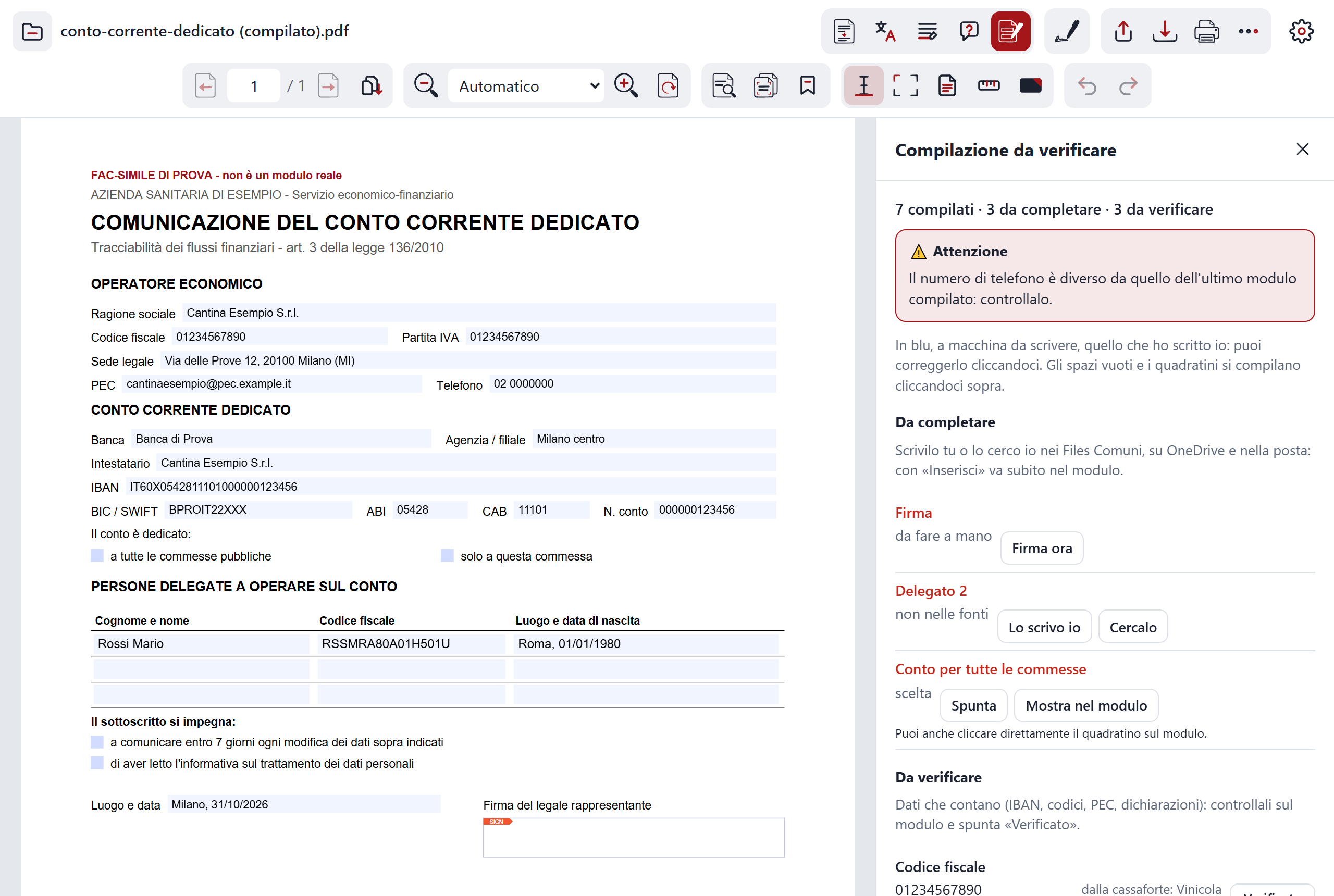
- Check every value in a form. The "Filled-in form" panel tells you where each piece of data comes from. Those marked "To check" make saving ask you to confirm, until you tick them. Red warnings appear if an IBAN, a PEC address, a tax code or an SDI code has changed. They are an aid: the checking stays with you.
- Summaries, translations, explanations and answers from "Ask" are there to orient you. If you have to decide something important, read the original text.
- Declarations are made by whoever signs. If a form contains declarations and you sign it, they are yours, even when the AI wrote them.
Graphic signature and digital signature
The signature you add in C-A-R-T-A is a graphic signature: an image on the document. It is not a digital signature and it does not count as one.
If a document requires a digital signature, a graphic one is not enough. C-A-R-T-A does not create digital signatures: it reads the ones it finds in files and checks them.
Checking signed files
When you open a .p7m file, C-A-R-T-A checks the signature in the browser, on your device.
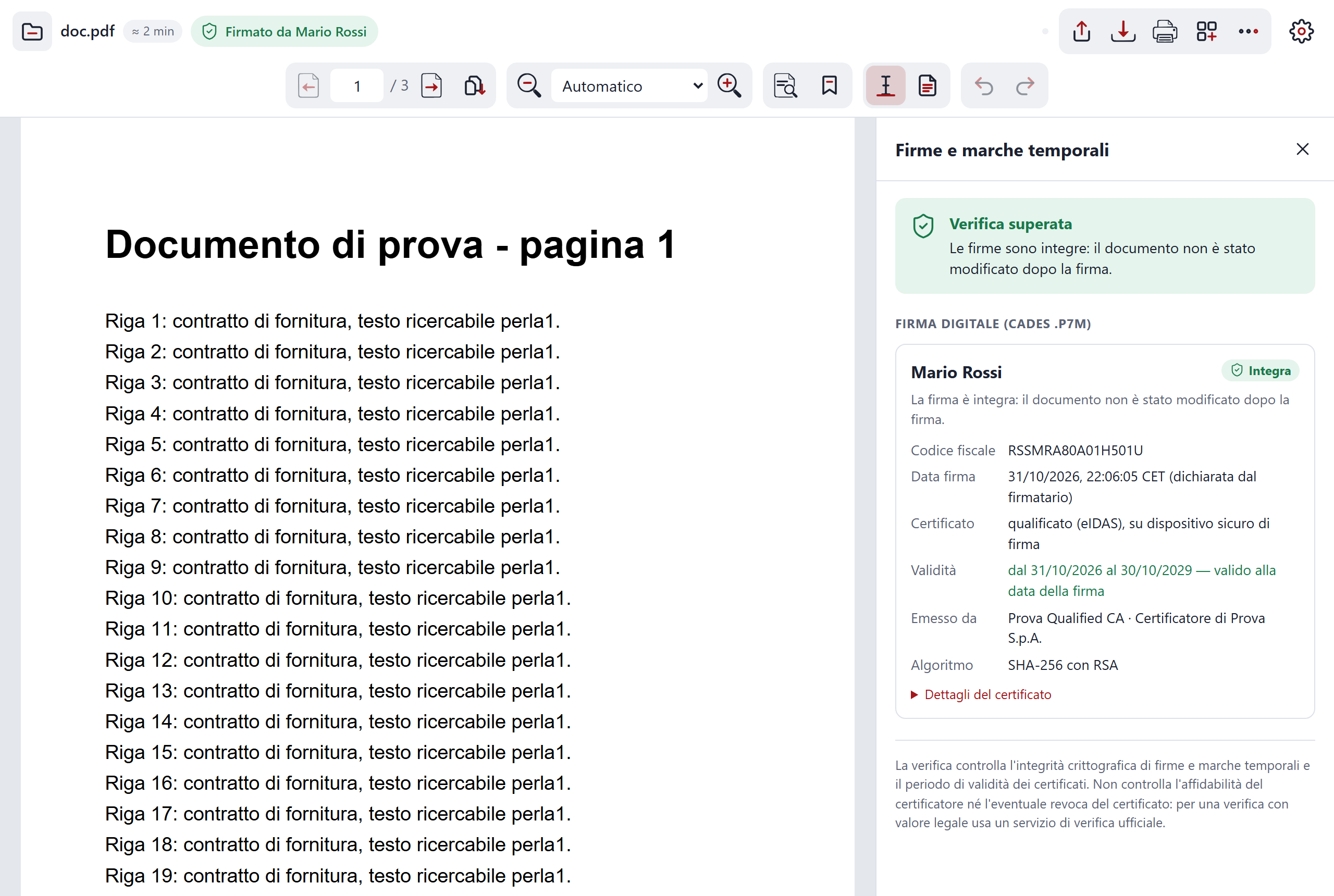
It checks two things:
- that the document is intact, that is, that it has not been changed since signing;
- that the certificate was valid on the date of signing.
It does not check whether the certificate has been revoked, nor whether its issuer is trustworthy. That is why "Signed by…" is a useful indication, but not a guarantee.
The data in the vault
To fill in a form your data is needed. C-A-R-T-A reads it from your organisation's password vault (Bitwarden or Vaultwarden), which it opens from the browser. Your password does not leave your device.
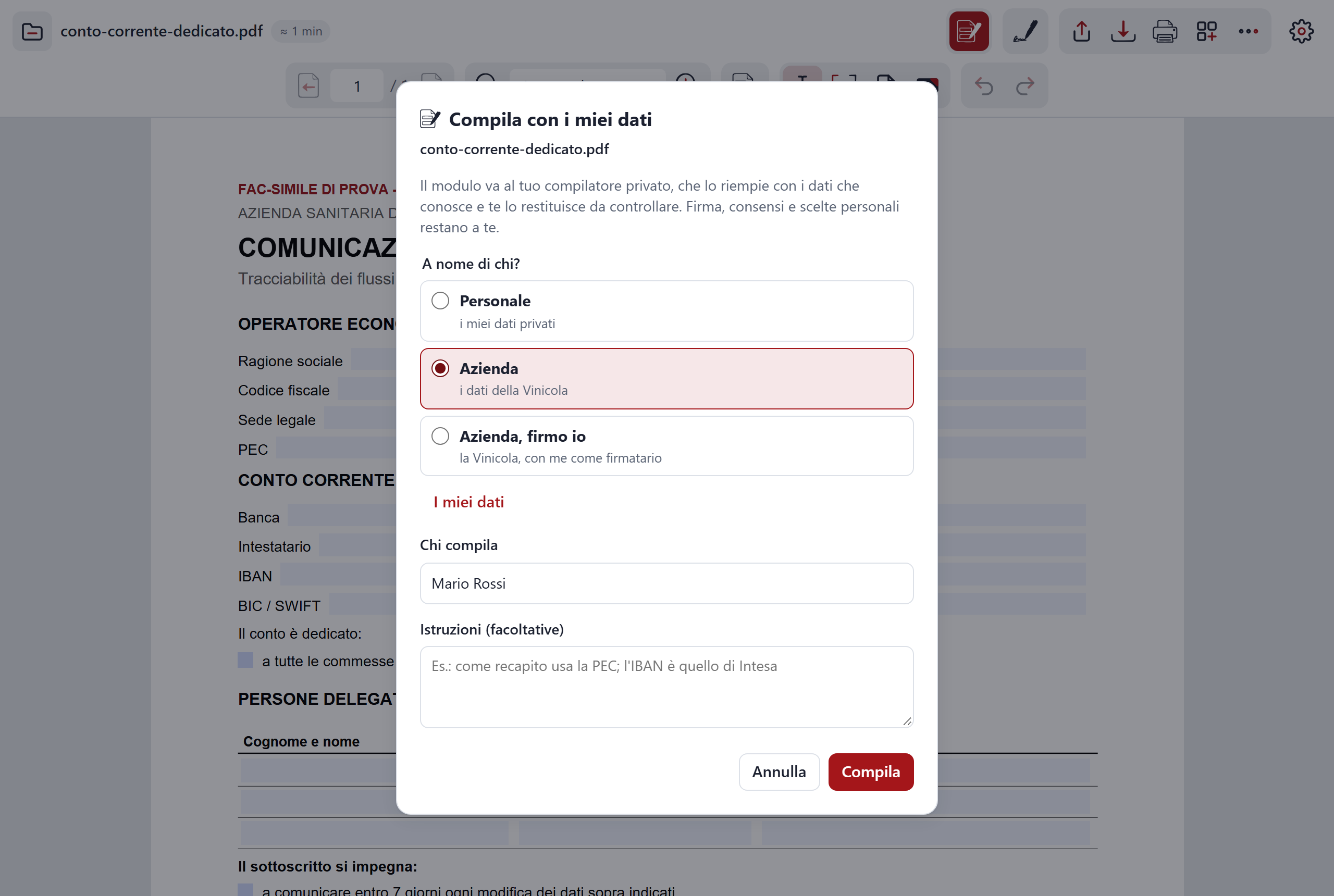
The data lives in two notes: "Data for forms (C.A.R.T.A.)", which is yours, and "Company data for forms (C.A.R.T.A.)". A form's new data is saved there with "Yes, save them".
Whoever manages the compiler service can choose "Server vault" in Settings: in that case the data for forms lives on the compiler service and not in the password vault.
That vault is not only yours: the vault's administrators can see the data too. Put in it what the forms need and nothing more.
Reading aloud
This is a novelty of the 31 October 2026 version, still in progress.
"Read aloud" uses your device's voices and does not go through the compiler service. If your browser offers voices that work over the network, those are handled by the browser, not by C-A-R-T-A.
No tracking, no cookies
Neither the presentation site nor the app uses cookies. They do not count visits and do not follow you from page to page. The site is made of simple pages and loads nothing from other sites.
This does not mean the server sees nothing: like any site, it receives the request when you load a page.
The same notices, inside the app
You also find them in C-A-R-T-A's Settings, with the version you are using. There are six: where files go, what is kept and where, that the AI can make mistakes, that the graphic signature is not a digital signature, the limits of checking .p7m files and what ends up in the vault.
The code is open
You can read how C-A-R-T-A works and check for yourself what I have written here. The code is in the pdf folder of github.com/adecordi/adecordi.github.io.
For the list of everything it can do go to the features. To connect the compiler service and use the app step by step, go to how to use it.